Mark the Organization Closed
Mark a center closure on the staff schedule.
Last updated About 2 hours ago
Mark a center closure on the staff schedule.
For center admins using Bloomily on a computer. The orange outline shows where to look or click.
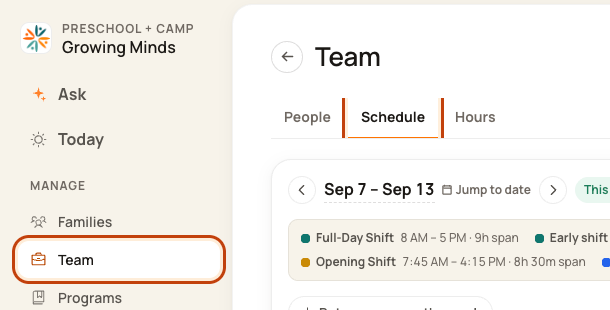
1. Open Schedule
Click Team on the left. Then click Schedule.
2. Open the week menu
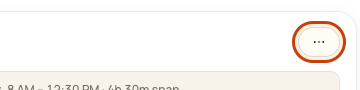
Check the week. Click the … button at the top right. This means More actions.
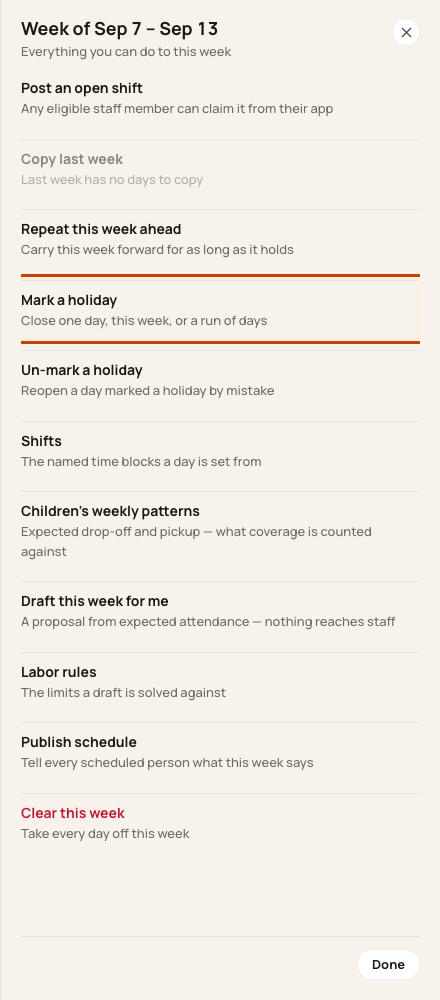
3. Choose Mark a holiday
Click Mark a holiday in the week menu.
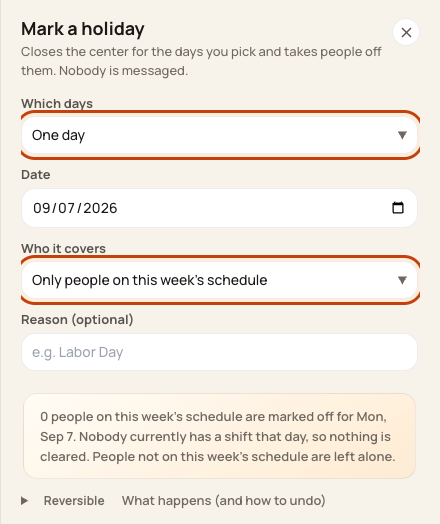
4. Choose dates and people
Set Which days and the date or range. Check Who it covers. Choose Everyone active only if that is intended. Add a reason if needed. Review the people, dates, and shifts that will be removed. Click Mark holiday.
At the bottom of the form:

Good to know
This action does not message staff. To undo a mistaken closure, use Un-mark a holiday and review what it will remove.
Check when you are done
Check the closure dates and staff day boxes. Use People’s Close a day separately for leave counting.
Was this helpful?