Medications
For teachers: where to find medications due today, logging doses as they're given, and when to stop and ask.
Last updated About 2 hours ago
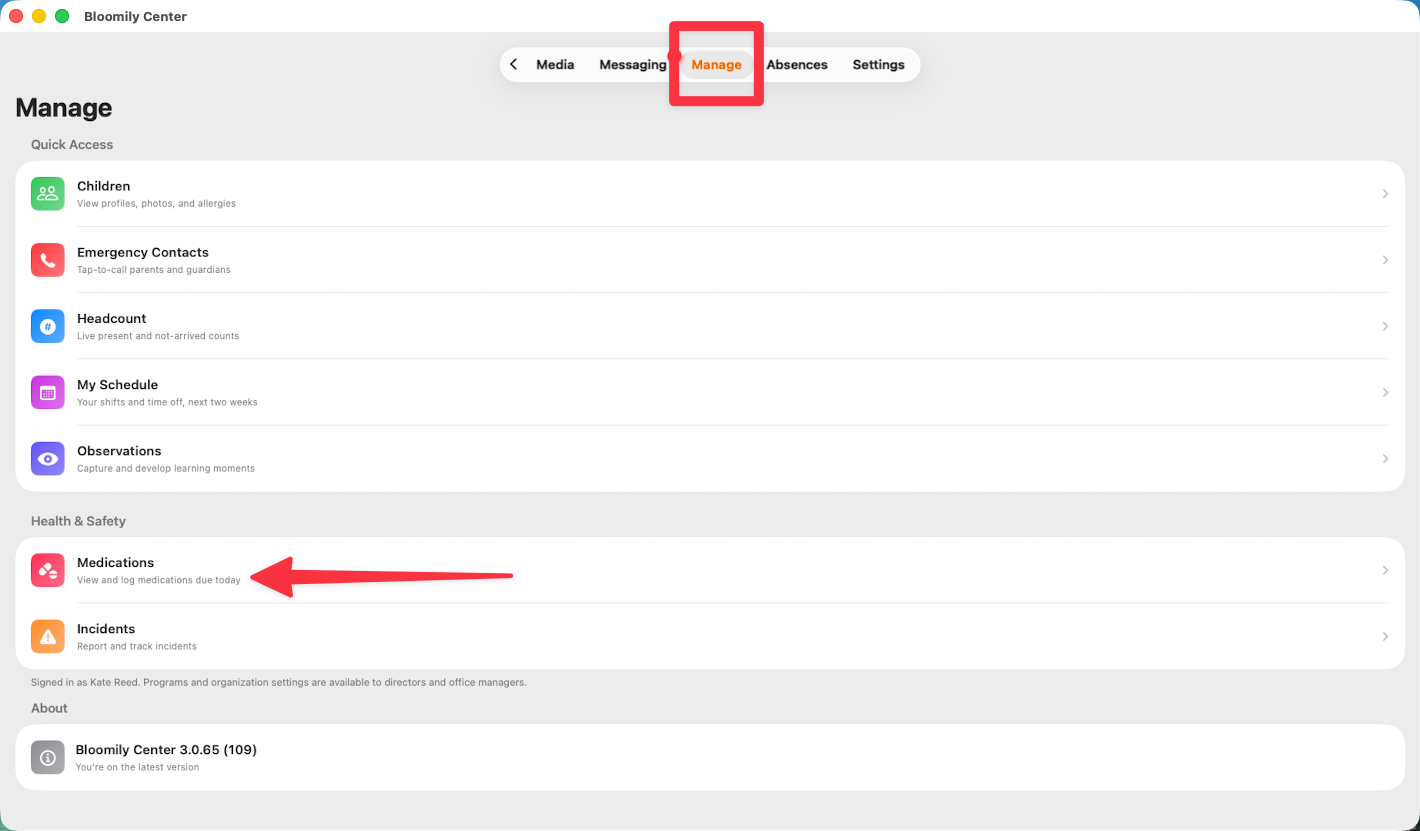
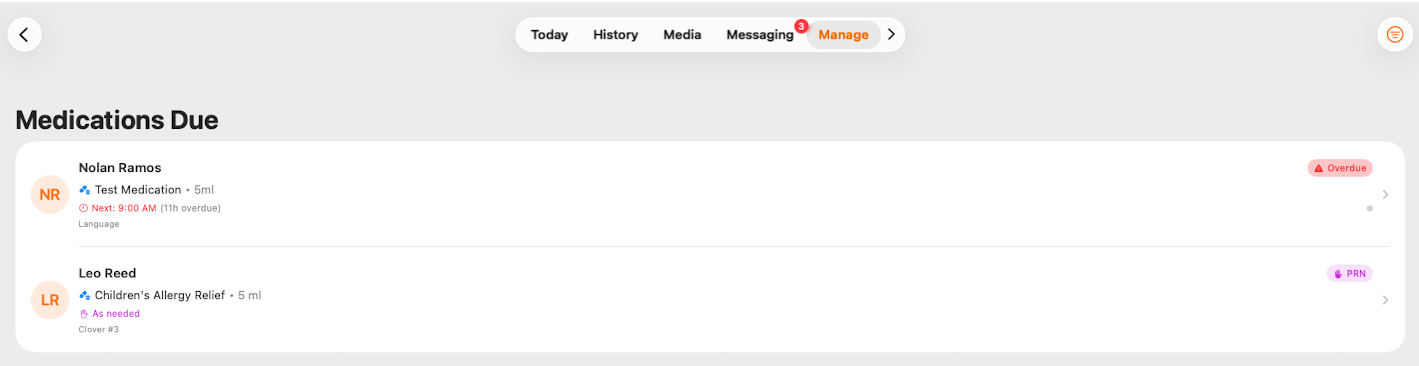
Medications live under Manage > Medications in Bloomily Center, which shows what's due today and where you log what's been given.
Check it at the start of your shift
List of Medications Due
Medication alerts
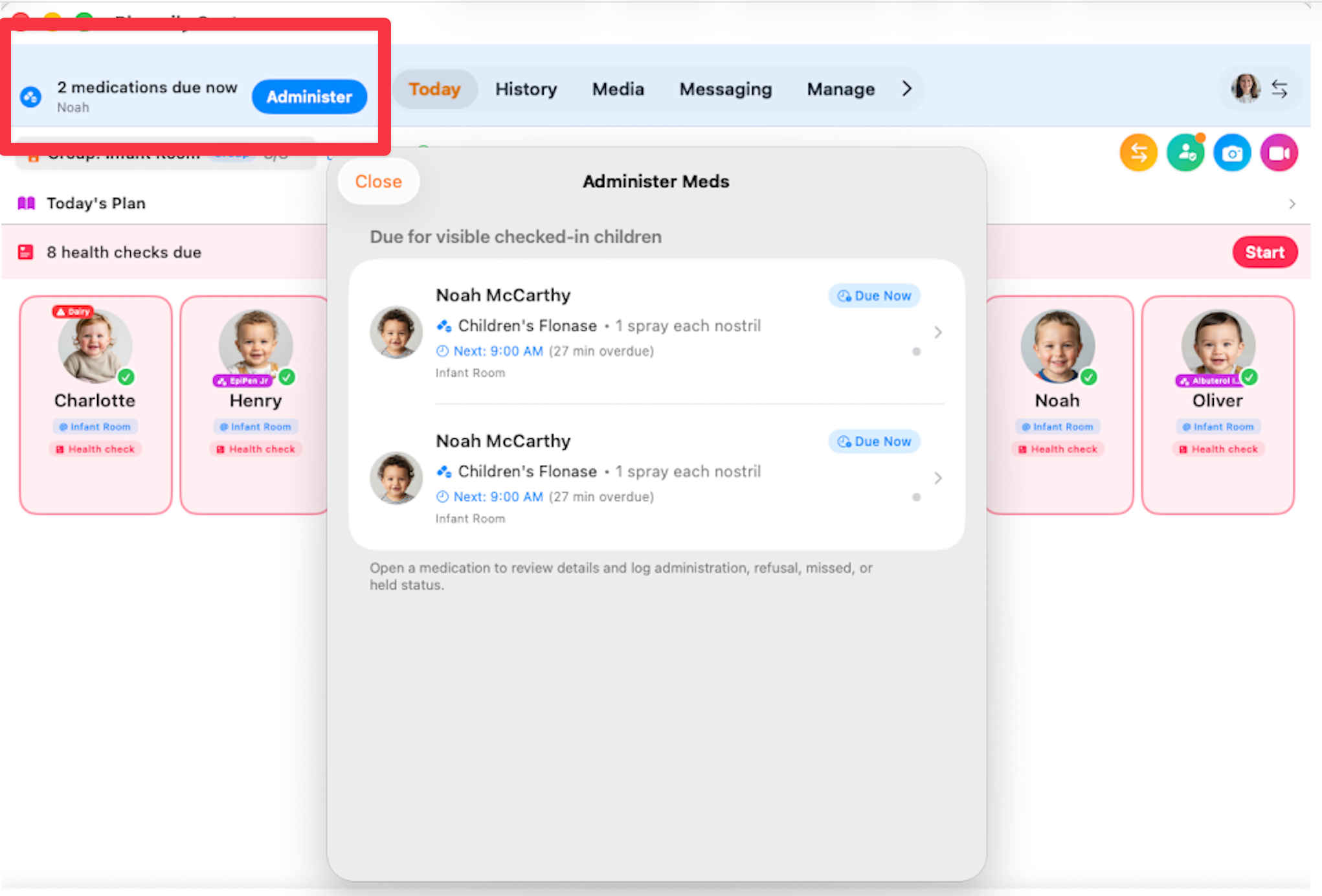
If your organization has medication alerts switched on, what's due comes to you rather than you going to look for it.
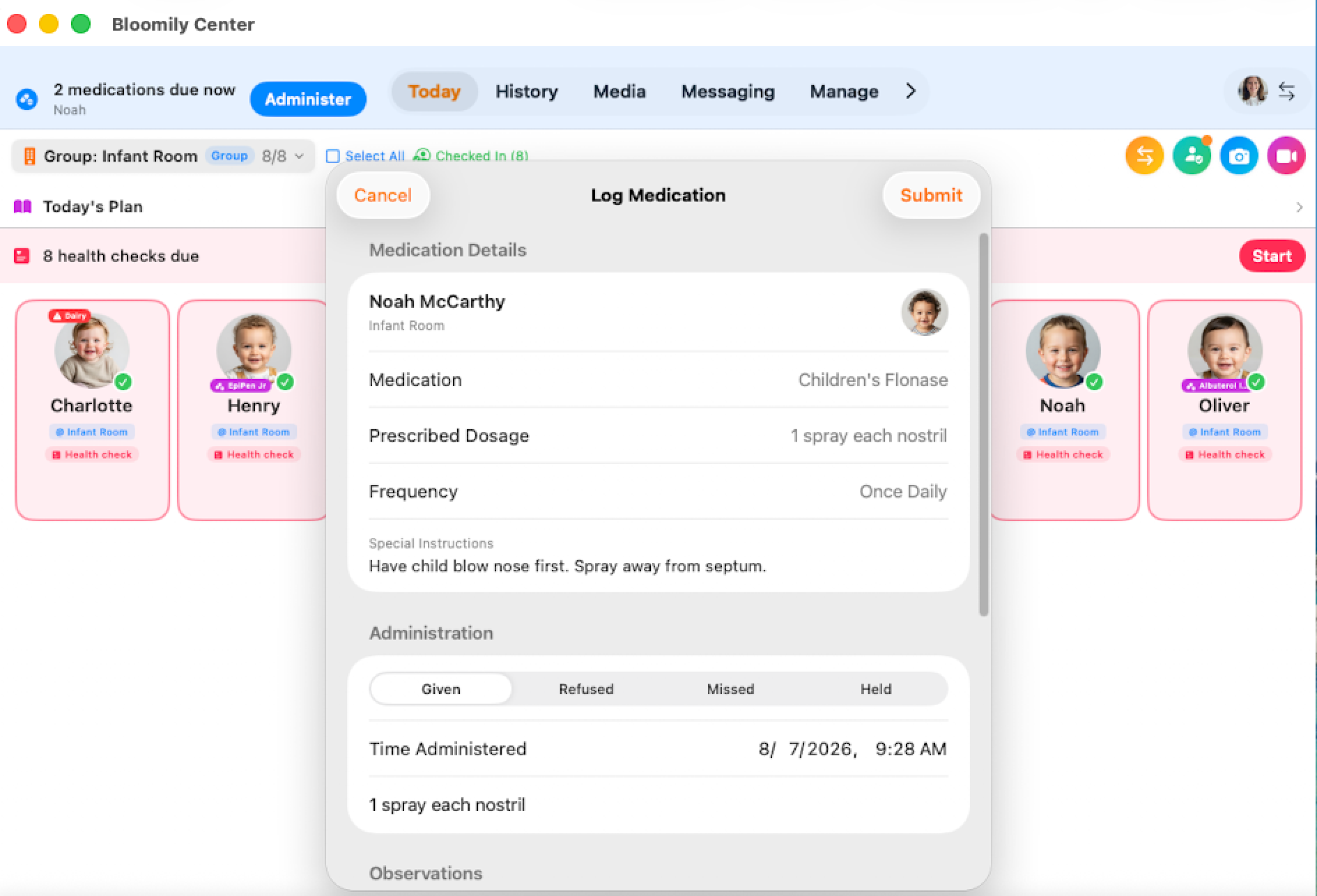
A blue banner appears at the top of Today — how many medications are due now, which child, and an Administer button.
Tapping Administer opens the list. Each entry shows the child, the medication and its dose, the time it's due, how overdue it is, and the room. Open one to review the details and log the outcome.
The list covers checked-in children in the rooms you can see. A child who hasn't been checked in won't appear, even if they're standing in front of you — so if you're expecting a medication and can't find it, check the child's attendance first. See Staff-assisted check-in and check-out.
No banner? Either nothing is due, or your organization hasn't turned alerts on — it's a setting, not a fault. Manage > Medications always shows the full picture either way, and it's worth checking at the start of your shift regardless.
Seeing medications in the room
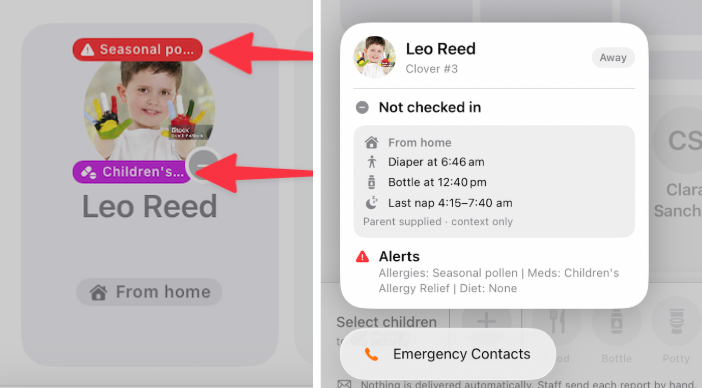
You don't have to open anything to know a child has a medication on file. Their card in the room list carries a chip naming it, so it's visible while you're just looking at the room.
Long-press the card to open the child's panel. Alerts lists their allergies, medications and any dietary requirement together, spelled out in full rather than shortened to fit on a chip.
Worth doing deliberately at the start of any shift in a room you don't usually cover. The chips are there so you don't need to already know the children — but only if you look at them.See Finding a child's information for what else that panel holds.
Log it when you give it
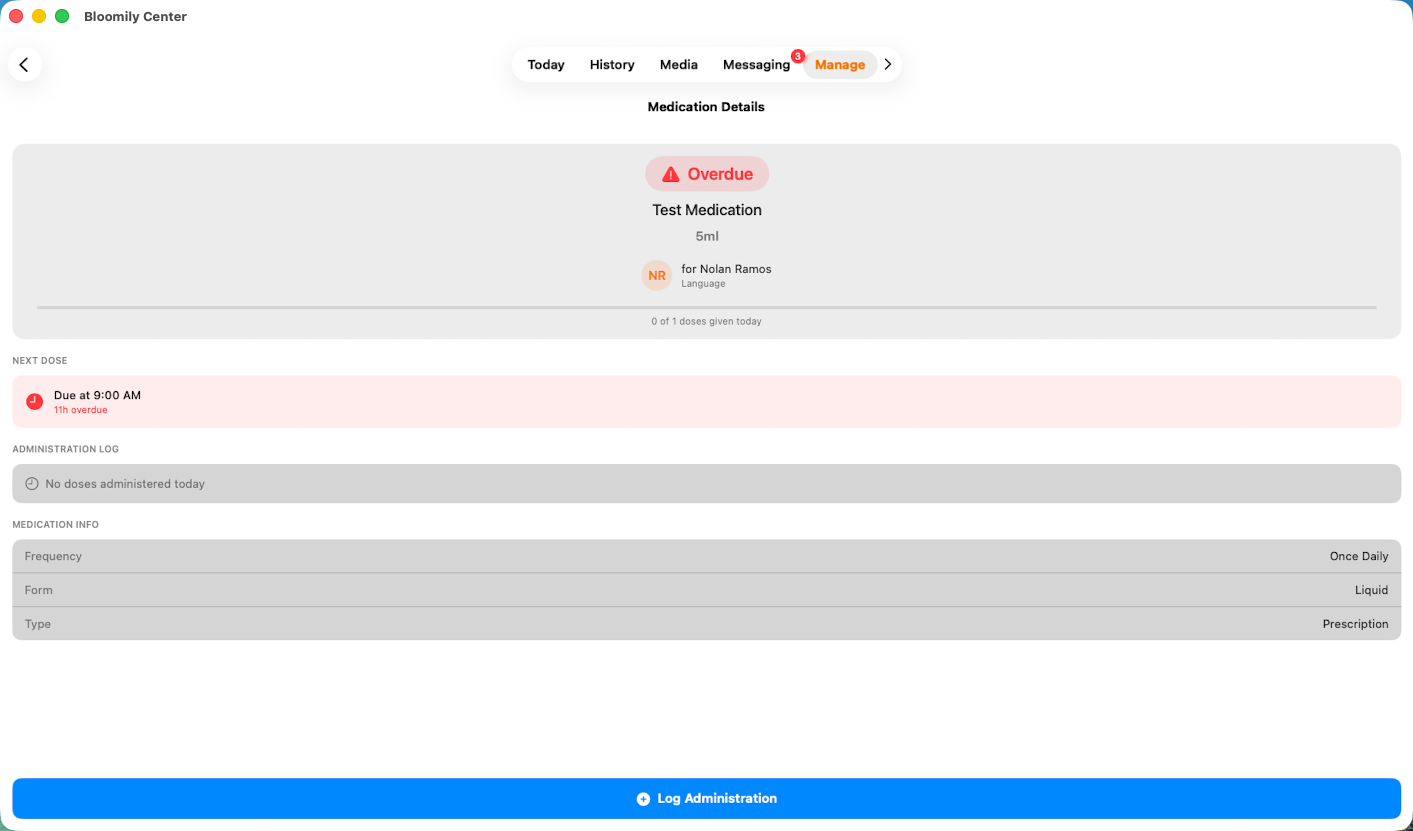
Record each dose as it's given, not at the end of the day. A medication log is a health record — the time it says is the time someone will rely on later.
You can log four outcomes: administered, refused, missed, or held. All four are real answers. A refusal recorded honestly is far more useful than a gap, and the next person on shift needs to know the difference between a dose that was held and one that nobody got to.
If a dose is missed, refused, or given at a different time than scheduled, record what actually happened rather than what was supposed to.
Logging from the manage>medications section:
Logging from the alert:
Bloomily shows you what's on file and records what you log. It doesn't decide what a child may be given, or when.
Your center's medication policy and the family's authorization govern that. If a medication isn't listed, if the details don't match what a parent has told you, or if anything is unclear, stop and get your director before anything is given.
If something doesn't look right
A medication you expected isn't listed: ask your director. Don't work from a parent's word alone.
The details look wrong: stop and check before giving anything.
You're not sure whether a dose was already given: check the log rather than assuming, and ask the colleague who was on before you.
A child's medication isn't in the Administer list: check they're checked in — the list only shows checked-in children.
Every screen has a ? guide button that explains the page you're on. For anything else, use in-app support or email support@bloomily.app.
Was this helpful?