Correcting an Incomplete Attendance Import
Fix the existing imported entry once the missing work time has been verified.
Last updated About 2 hours ago
Fix the existing imported entry once the missing work time has been verified.
1. Find the incomplete import
Choose the period and All timesheets. Match the staff member and work date to attendance.
2. Verify the missing punch
Use View attendance and your staff review process to establish the actual clock time.
3. Correct the existing entry
For an Open period and non-approved entry, choose Correct and enter the verified clock times and break.
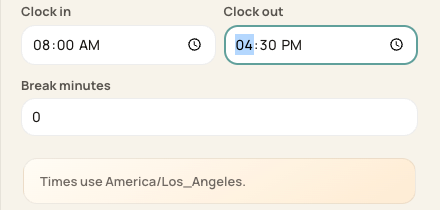
Correct the existing record rather than importing an invented replacement.
4. Review the saved result
Verify hours, source and status, then approve when ready. A repeated import skips the already-linked attendance source and is not a correction mechanism.
Before you finish
If the entry was automatically approved under your settings, the normal correction action is restricted. Ask Support about the correction path.
Related guides
Screenshots show an example center. Pay periods, approval, rounding, breaks and overtime settings depend on your organization’s configuration.
Was this helpful?