Importing Staff Attendance into Timesheets
Import recorded staff punches for the selected period, then review the resulting entries.
Last updated About 2 hours ago
Import recorded staff punches for the selected period, then review the resulting entries.
Workflow: Select period → Import punches → Check result → Review hours
1. Confirm the period
Open More → Timesheets in Admin OS. Read the selected pay period before making changes. The period must be Open.
2. Open the import review
Choose Time entries → Import attendance.
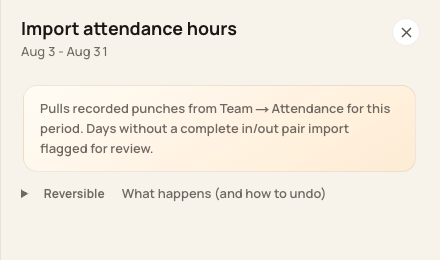
The import uses recorded punches from Team → Attendance, including incomplete punches.
3. Import the hours
Read the confirmation, choose Import hours and wait for the result. Review the Created and Flagged counts and any reported errors.
4. Review the new entries
Use All timesheets and compare the imported dates, clock times and breaks with attendance. Correct incomplete entries before approval.
Before you finish
Repeating an import skips attendance records already linked to a timesheet; it is not a refresh of every existing timesheet.
Initial approval status depends on your organization’s approval setting. Check it rather than assuming every import is Pending.
Related guides
Screenshots show an example center. Pay periods, approval, rounding, breaks and overtime settings depend on your organization’s configuration.
Was this helpful?