Keeping a Record of Previously Prepared or Exported Timesheets
Keep the final reviewed export and distinguish it from a prepared pay record.
Last updated About 2 hours ago
Keep the final reviewed export and distinguish it from a prepared pay record.
1. Keep each final download
Store the reviewed CSV or PDF with its pay period, staff scope, export date and version under your organization’s recordkeeping policy.
2. Understand Previously prepared records
Overview → Previously prepared records opens existing prepared records. A prepared record is separate from directly downloading timesheets.
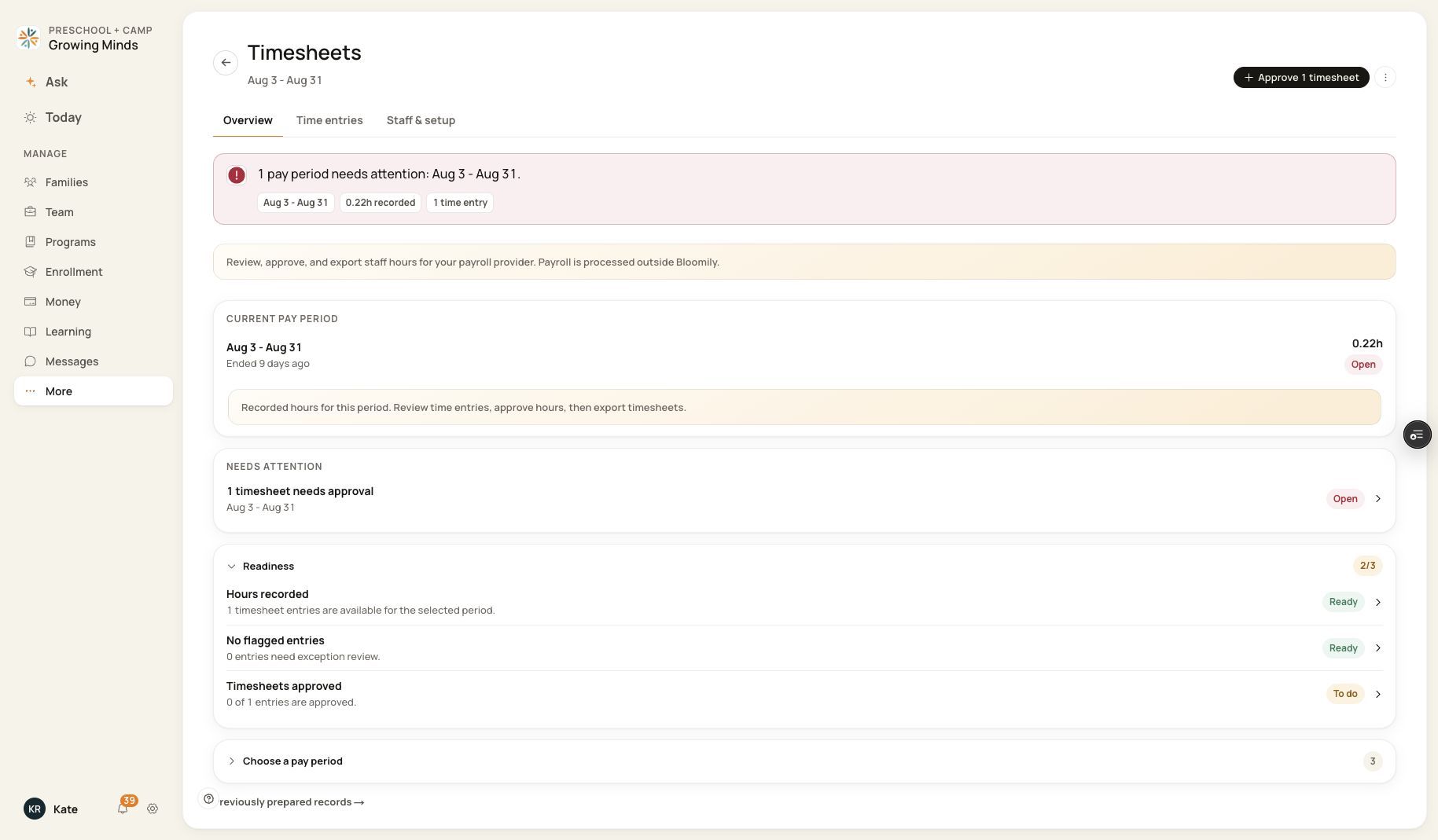
Previously prepared records is available from Overview.
3. Do not assume a download creates history
The direct export actions do not provide a guaranteed searchable archive of every downloaded file, export batch ID or provider submission receipt.
4. Keep provider evidence too
Retain the provider’s import/submission receipt and identify replacement files clearly. Ask Support about a specific record or retention requirement before relying on an assumed archive.
Before you finish
Preparing a pay record is optional for downloading timesheets.
A prepared record does not prove an employee was paid.
Related guides
Screenshots show an example center. Pay periods, approval, rounding, breaks and overtime settings depend on your organization’s configuration.
Was this helpful?