Preparing Timesheets for Payroll Export
Prepare a complete, reconciled file before using it for payroll.
Last updated About 2 hours ago
Prepare a complete, reconciled file before using it for payroll.
1. Choose and review the pay period
Open Timesheets, verify the date range and review all staff/date entries. Resolve missing punches, overlap, breaks and overtime questions.
2. Complete the review
Check approval statuses and the staff payroll codes. Lock the period if your process calls for it; downloading itself does not require a lock.
3. Set the intended staff scope
Clear checkboxes for everyone, or select rows belonging to each staff member you want to include. A selected staff member’s entire period is exported.
4. Choose and inspect the output
Open Export timesheets and choose the required format. Review the downloaded file before sending it through your provider’s process.
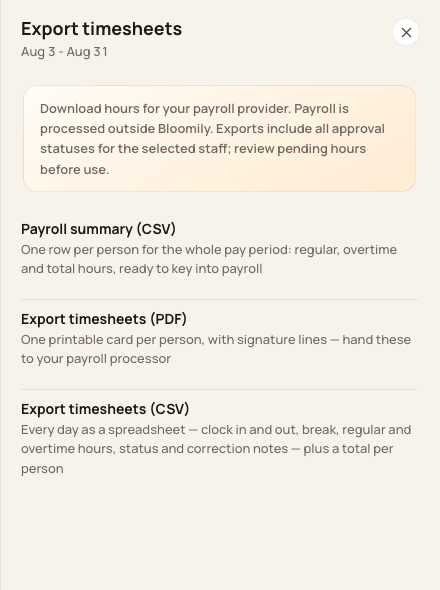
Choose summary CSV, detailed CSV or printable PDF.
Before you finish
Exports include every approval status for the selected staff across the whole pay period. The Show filter does not limit the export.
A file download does not submit or process payroll.
Related guides
Screenshots show an example center. Pay periods, approval, rounding, breaks and overtime settings depend on your organization’s configuration.
Was this helpful?