Time-Off Overview
Use People to view leave and set up time-off tools.
Last updated About 3 hours ago
Use People to view leave and set up time-off tools.
For center admins using Bloomily on a computer. The orange outline shows where to look or click.
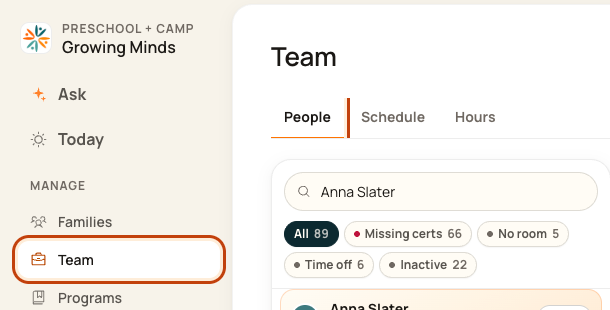
1. Open People
Click Team on the left. Then click People.
2. See requests
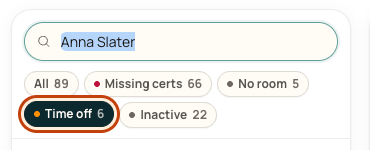
Click Time off in the filters. Pending means a request still needs a decision.
3. Open time-off tools
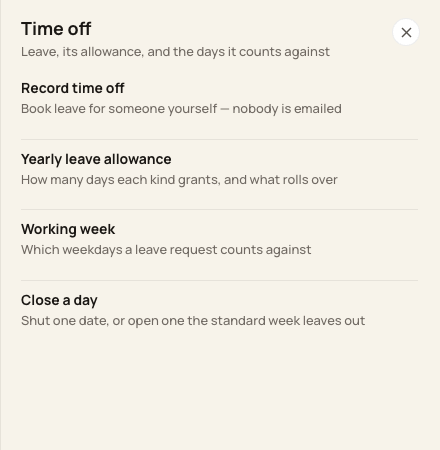
Click the … button at the top right of People. This opens More actions.

4. Choose a tool
Use Record time off to enter leave. Use Yearly leave allowance for annual days. Use Working week for the days that count as leave.
Good to know
Approved leave affects the work plan. It does not change clock-in or clock-out records. Close a day changes leave counting. Use Schedule’s Mark a holiday for a center closure.
Was this helpful?