Getting Started with the Team Section
Team helps you look after staff, plan work, and check work time.
Last updated About 3 hours ago
Team helps you look after staff, plan work, and check work time.
For center admins using Bloomily on a computer. The orange outline shows where to look or click.
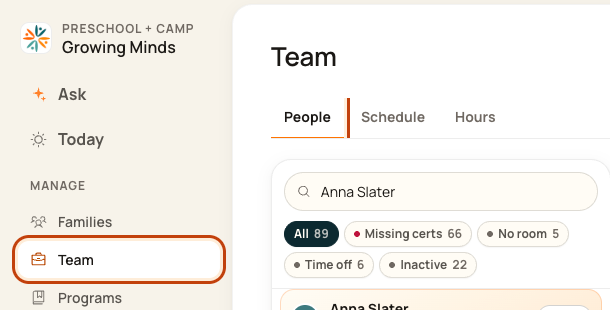
1. Open People
Click Team on the left. Then click People.
2. Plan work
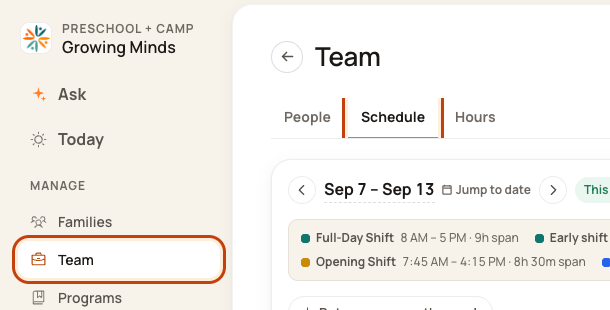
Click Schedule to set the days and hours people will work. A shift is one period of work.
3. Check work time
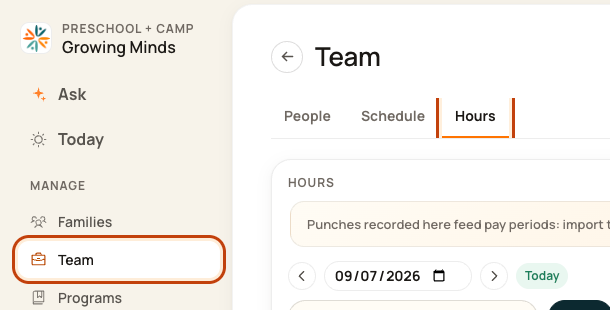
Click Hours to see when people clocked in and out.
Good to know
These guides show the admin website. Sign in with an admin account. If a button is missing, ask your center’s admin for help.
Check when you are done
Start in People to add a person. Then plan their work in Schedule. Check their recorded time in Hours.
Was this helpful?