Set Yearly Leave Allowances
Set how many leave days new balances start with.
Last updated About 3 hours ago
Set how many leave days new balances start with.
For center admins using Bloomily on a computer. The orange outline shows where to look or click.
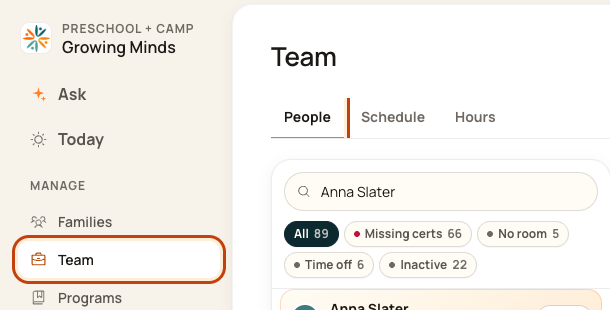
1. Open People
Click Team on the left. Then click People.
2. Open time-off tools
Click the … button at the top right of People. This opens More actions.

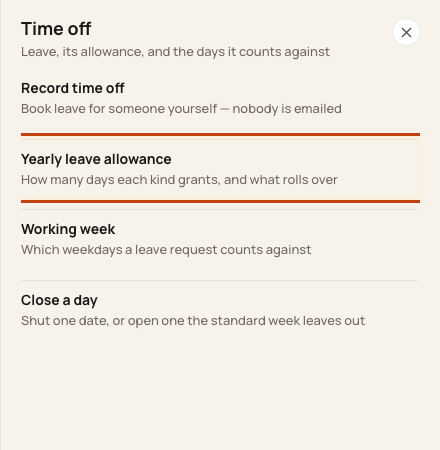
3. Open the allowance
Click Yearly leave allowance.
4. Set days and save
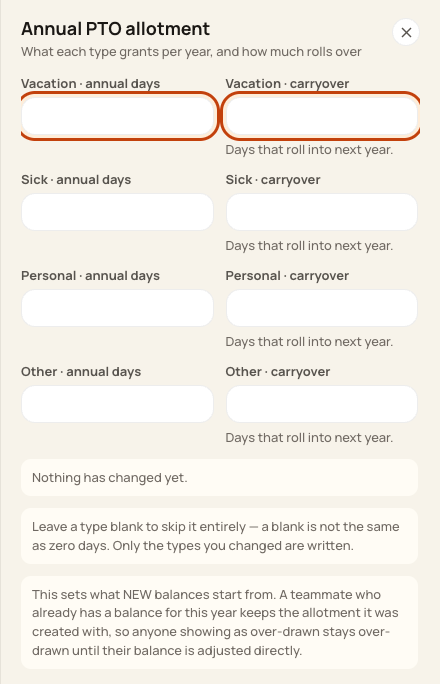
Enter annual days for each leave type. Carryover means days kept for next year. Check your entries, then click Save policy.
At the bottom of the form:

Good to know
This changes new balances. It does not update balances people already have. A blank field is not the same as zero.
Check when you are done
Reopen the policy and check the values. If an existing balance is wrong, ask your admin to review that balance separately.
Was this helpful?