Repeat a Schedule into Future Weeks
Copy this week’s work plan into future weeks.
Last updated About 3 hours ago
Copy this week’s work plan into future weeks.
For center admins using Bloomily on a computer. The orange outline shows where to look or click.
1. Open Schedule
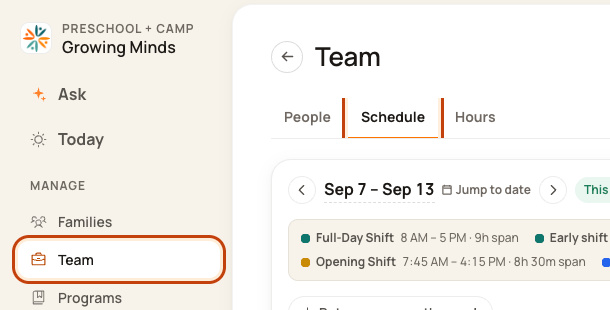
Click Team on the left. Then click Schedule.
2. Open the week menu
Check the week. Click the … button at the top right. This means More actions.

3. Choose Repeat this week ahead
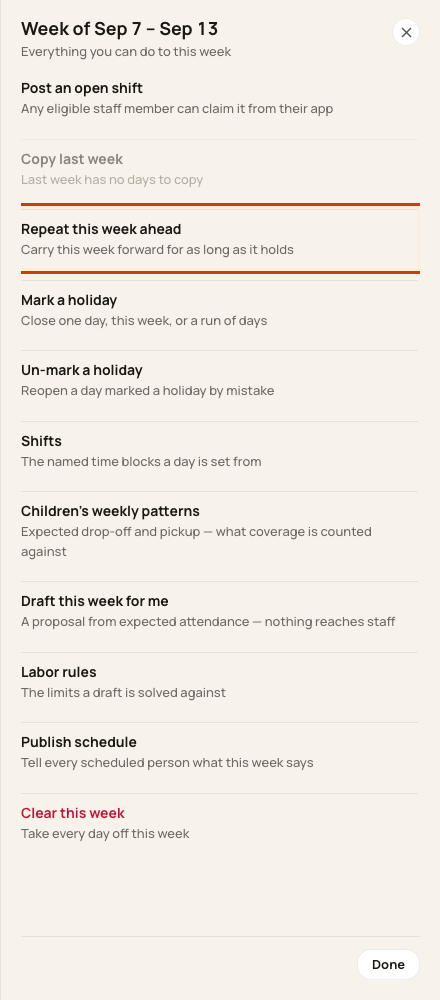
Click Repeat this week ahead.
4. Choose how far ahead
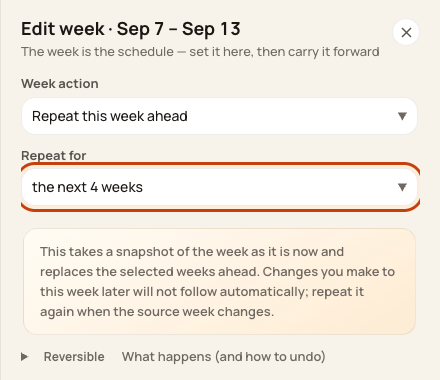
Pick the number of weeks in Repeat for. Review the dates and replacement warning. Click Repeat ahead.
At the bottom of the form:

Good to know
This can replace work already planned ahead. Days off in those future weeks are kept. Changes to the first week do not update the copies by themselves.
Check when you are done
Open the future weeks. Check work hours, leave, holidays, breaks, and room staffing before publishing.
Was this helpful?