Reviewing Flagged and Incomplete Entries
Resolve exceptions on their merits rather than approving a warning away.
Last updated About 2 hours ago
Resolve exceptions on their merits rather than approving a warning away.
1. Read the selected period’s warnings
Start in Overview → Readiness and Needs attention.
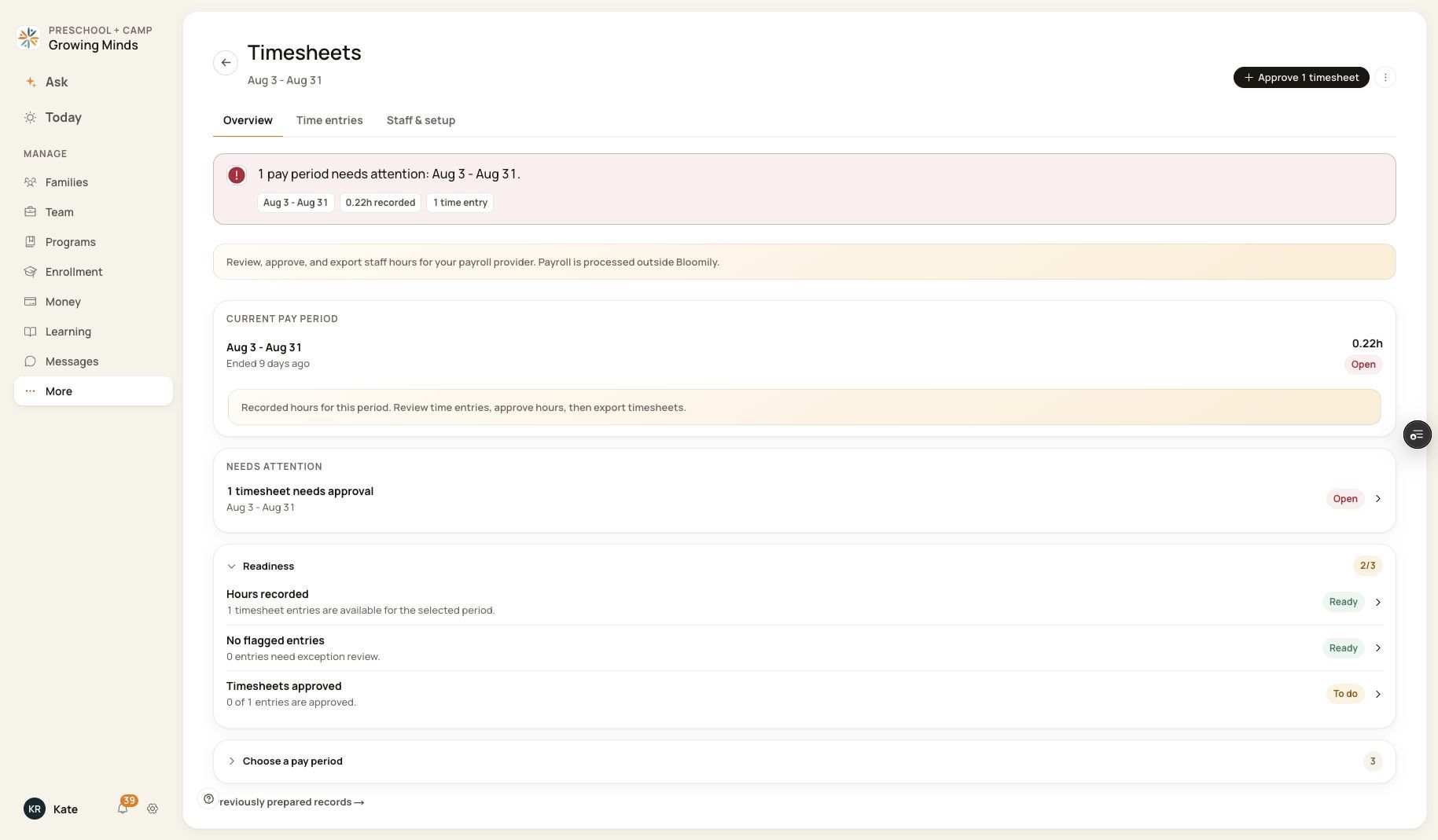
Readiness separates flagged records from unapproved records.
2. Inspect the underlying entries
Check date, staff, source, clock times and break minutes. An entry may require review even when its status is Pending rather than explicitly Flagged.
3. Resolve the discrepancy
Use attendance, the published schedule and verified staff information to establish the correct hours. Correct eligible entries or seek Support for a blocked case.
4. Verify before approval
Reload successfully and compare the filed values and totals. An incomplete data-load warning must be resolved before relying on readiness.
Before you finish
Approval does not prove that a missing punch, duplicate or unsupported time range was fixed.
Related guides
Screenshots show an example center. Pay periods, approval, rounding, breaks and overtime settings depend on your organization’s configuration.
Was this helpful?