Duplicating Menus into Another Month
Reuse a month’s meal pattern in a different month. The tool matches weekday occurrences rather than identical calendar dates.
Last updated About 3 hours ago
Reuse a month’s meal pattern in a different month. The tool matches weekday occurrences rather than identical calendar dates.
1. Open the source month
In Meals → Menus, navigate to the month to reuse. Choose Plan tools → Duplicate this month.
2. Choose the destination and scope
Set Into to the target month. Leave Copy every offered meal type selected for all offered services, or clear it to copy the selected meal type.
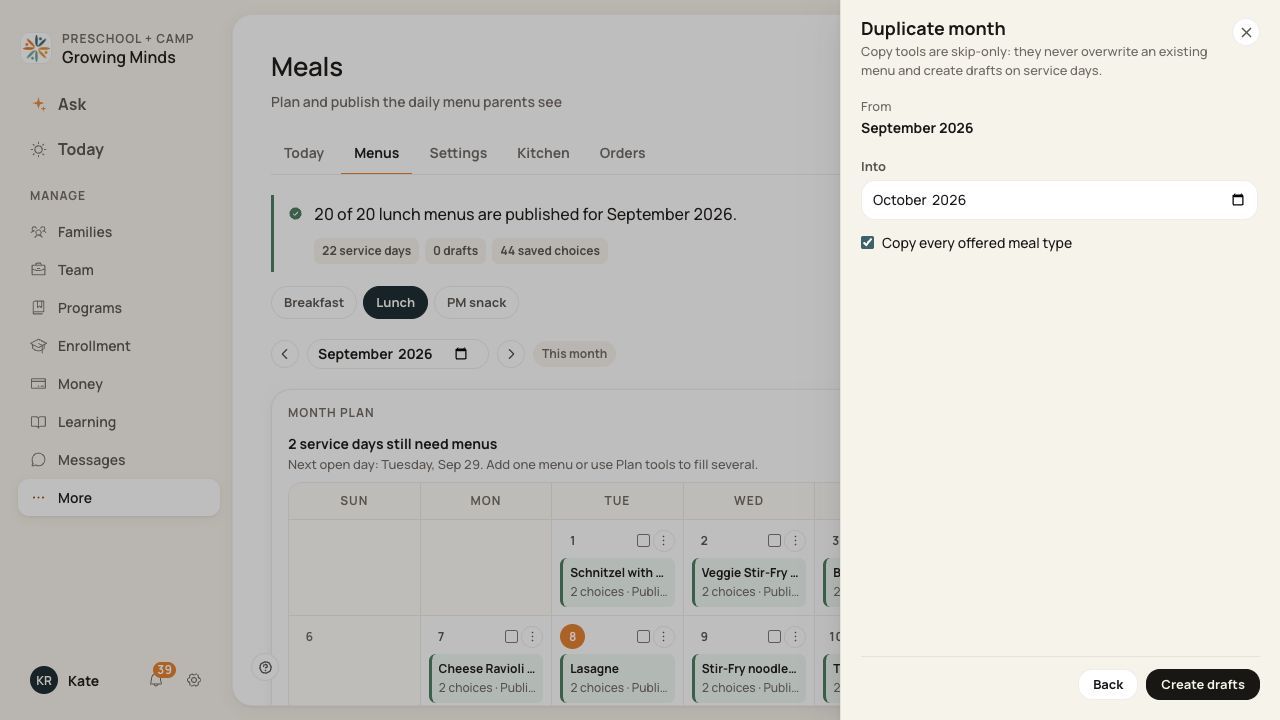
Check the destination month and whether all meal types are included.
3. Create the drafts
Choose Create drafts. The first Monday maps to the first Monday, the second Tuesday to the second Tuesday, and so on where the target date exists.
4. Review the whole target month
Read the creation result and inspect missing dates, holidays, choices, prices and notes. Publish the reviewed drafts separately.
Before you finish
Existing destination menus are never overwritten. A month with a different weekday pattern can have gaps.
Copying a month does not publish it or reproduce existing child orders.
Related guides
Screenshots show an example center. Meal prices, times, service days and ordering policies depend on your center’s configuration.
Was this helpful?