Navigating Overview, Time Entries, and Staff & Setup
Use the three main tabs without losing track of the selected pay period.
Last updated About 3 hours ago
Use the three main tabs without losing track of the selected pay period.
1. Start in Overview
Open More → Timesheets in Admin OS. Read the selected pay period before making changes. Expand Choose a pay period to change the period.
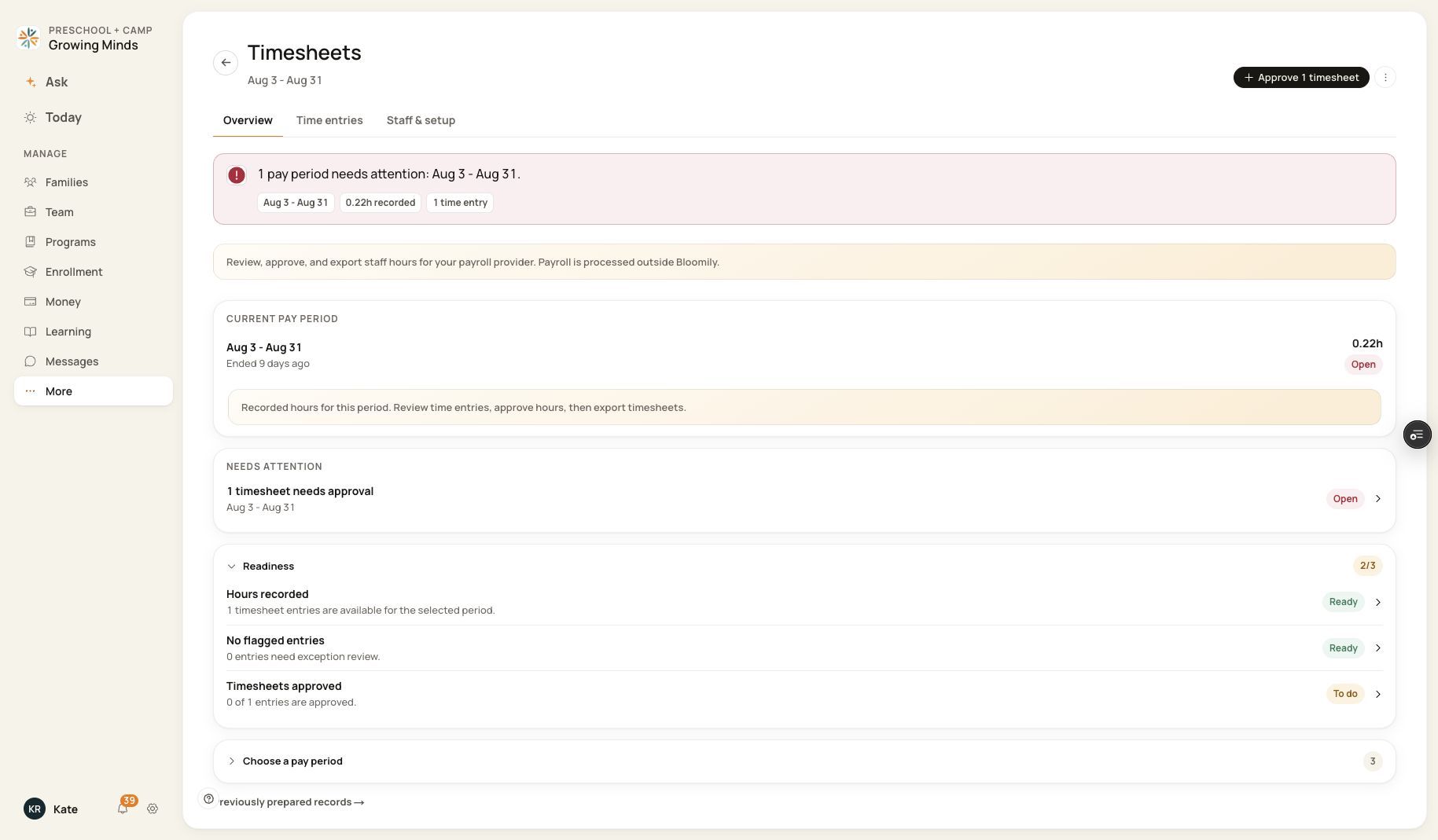
The three tabs are directly under the Timesheets heading.
2. Open Time entries
Review individual staff/date rows, change the Show filter, import attendance, manage hours or export timesheets.
3. Open Staff & setup
Expand Staff pay rates, Reports & exports or Pay period settings. These settings affect the organization rather than only the selected day.
4. Return to the same period
Check the heading when moving between tabs. Use Previously prepared records from Overview only when you need an existing prepared record.
Before you finish
An incomplete-load warning is not an empty period. Wait for a successful reload before relying on counts or using actions.
Related guides
Screenshots show an example center. Pay periods, approval, rounding, breaks and overtime settings depend on your organization’s configuration.
Was this helpful?