Understanding the Difference Between the Three Export Types
Choose the format that fits the next task.
Last updated About 3 hours ago
Choose the format that fits the next task.
1. Use Payroll summary CSV for totals
One summary row per person includes regular, overtime and double-overtime totals, payroll code and approval summary.
2. Use detailed timesheets CSV for investigation
Dated clock times, breaks, statuses, sources and notes help you reconcile individual entries. Avoid double-counting the additional TOTAL rows.
3. Use PDF for printable review
Printable timecards are suitable for reading, printing and your organization’s recordkeeping.
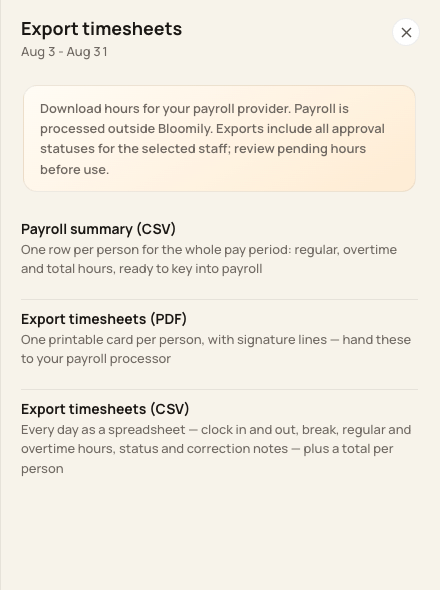
All three choices are available from Export timesheets.
4. Use Export rates for compensation setup
Staff & setup → Staff pay rates → Export rates is a separate compensation file. It is not one of the three hours formats.
Before you finish
Exports include every approval status for the selected staff across the whole pay period. The Show filter does not limit the export.
None of these downloads sends payroll automatically or guarantees a provider-specific layout.
Related guides
Screenshots show an example center. Pay periods, approval, rounding, breaks and overtime settings depend on your organization’s configuration.
Was this helpful?