Exporting Printable Timesheets to PDF
Download printable timecards for review or your organization’s records.
Last updated About 3 hours ago
Download printable timecards for review or your organization’s records.
1. Set the period and staff scope
Check the selected pay period. Clear selection for all staff or select the intended staff members.
2. Choose Export timesheets (PDF)
Open Export timesheets and choose the PDF option.
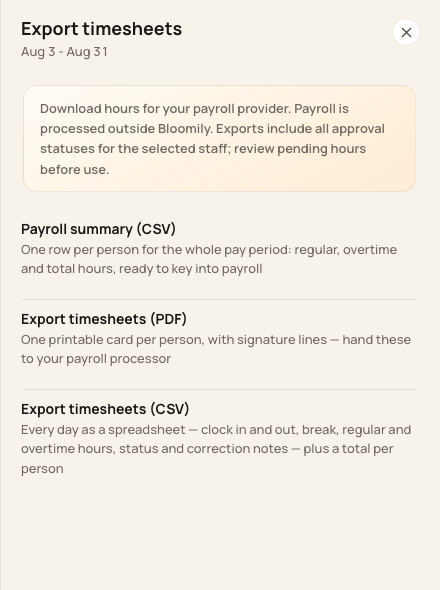
PDF is the printable format.
3. Review each timecard
Check the person, period, dated entries, breaks and totals before printing or sharing.
4. Keep the reviewed copy
Use your organization’s approved recordkeeping process. Printed signature lines can be used for a paper review; they do not create an in-app digital signing workflow.
Before you finish
Exports include every approval status for the selected staff across the whole pay period. The Show filter does not limit the export.
A PDF is not a guarantee of compatibility with a payroll provider’s import.
Related guides
Screenshots show an example center. Pay periods, approval, rounding, breaks and overtime settings depend on your organization’s configuration.
Was this helpful?