Understanding the Timesheets Workflow
Follow one consistent review sequence for each pay period.
Last updated About 2 hours ago
Follow one consistent review sequence for each pay period.
Workflow: Source → Review → Correct → Approve → Lock if appropriate → Export
1. Confirm the period
Open Overview and check the date range and Open/Locked state.
2. Gather the intended source
Use recorded attendance for punches or the published schedule for planned hours. Check existing entries before combining these sources.
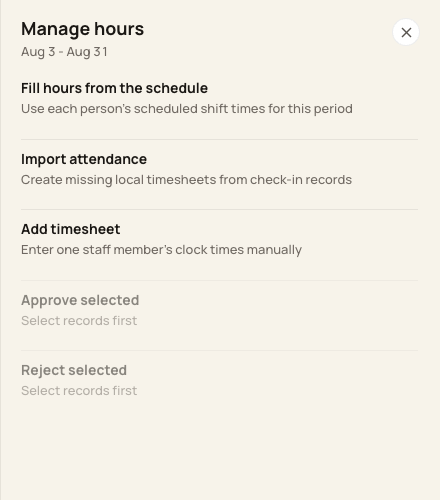
Manage hours contains the schedule-fill, import, manual and review actions.
3. Review before approval
Resolve missing punches, verify breaks and compare the saved hours with the underlying records. Approval is a review decision, not a payment.
4. Keep the final copy
After approval, lock the period if appropriate, export the required format and verify it with your payroll provider.
Before you finish
Downloading does not require a locked period, and a download can contain unapproved entries.
If a correction is discovered after approval or locking, check the correction restrictions before proceeding.
Related guides
Screenshots show an example center. Pay periods, approval, rounding, breaks and overtime settings depend on your organization’s configuration.
Was this helpful?