Locking a Pay Period Before Exporting
Lock a reviewed period when you want to freeze normal timesheet changes. Locking and approving are different actions.
Last updated About 2 hours ago
Lock a reviewed period when you want to freeze normal timesheet changes. Locking and approving are different actions.
Workflow: Review → Approve → Lock → Export
1. Complete review first
Confirm the date range, resolve exceptions and verify all intended entries. Approve eligible hours before locking.
2. Open Lock period
Choose More timesheet actions → Lock period.
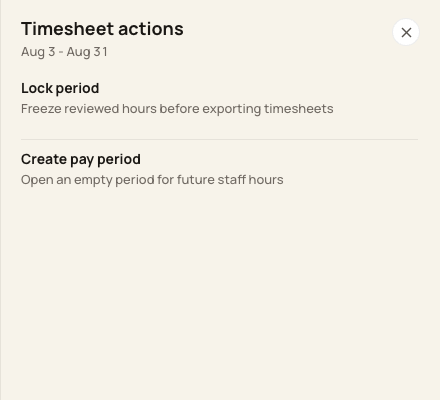
Lock period is a separate action from approval or export.
3. Review and confirm
Read the period and confirmation wording, then confirm Lock period only when you are ready to restrict edits.
4. Verify the locked state
Check the state badge. Importing, adding, correcting and bulk approving/rejecting are restricted while locked. Export remains a separate download.
Before you finish
Locking does not automatically approve every entry, and exports are not limited to approved entries.
A period with an existing prepared payroll run cannot be reopened through the current reopen action.
Related guides
Screenshots show an example center. Pay periods, approval, rounding, breaks and overtime settings depend on your organization’s configuration.
Was this helpful?