Understanding the Pay-Period Readiness Summary
Readiness helps locate recorded hours, flagged entries and outstanding approvals.
Last updated About 2 hours ago
Readiness helps locate recorded hours, flagged entries and outstanding approvals.
1. Open the selected Overview
Check the period range, then expand Readiness if it is collapsed.
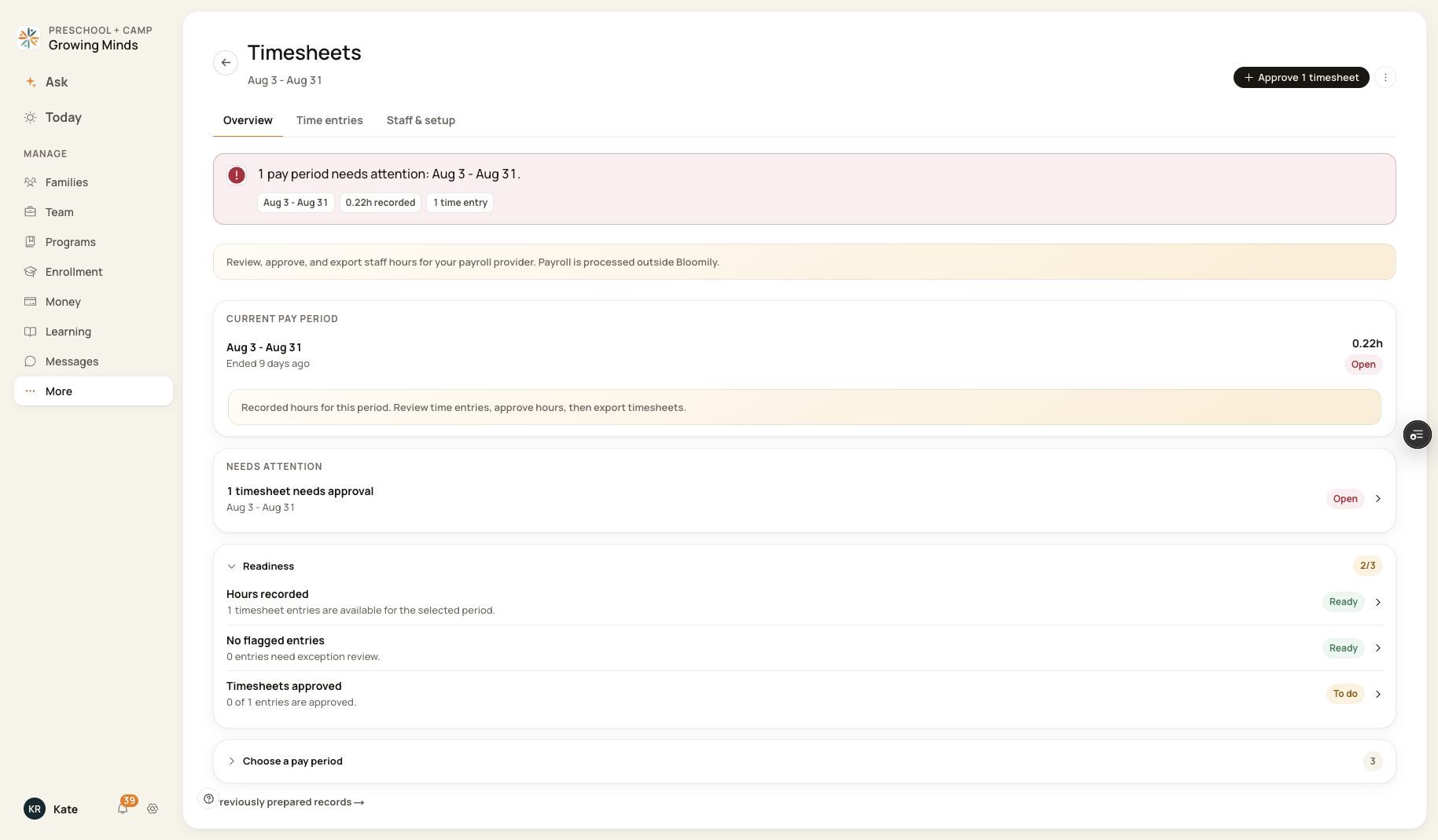
Each readiness row links to the workspace where it can be reviewed.
2. Check Hours recorded
This indicates that entries exist, not that every expected staff day has been captured.
3. Check exceptions and approval
Review No flagged entries and Timesheets approved separately. Follow a To do row to inspect the affected hours.
4. Reconcile beyond the checklist
Compare the roster, dates and source records before declaring the period ready for your provider.
Before you finish
A complete readiness count is not certification of legal compliance, employee agreement or successful payroll processing.
Related guides
Screenshots show an example center. Pay periods, approval, rounding, breaks and overtime settings depend on your organization’s configuration.
Was this helpful?