Logging Potty, Diaper, and Applied Items
Use Potty for toileting and diaper changes, and Applied for products such as sunscreen or diaper cream.
Last updated About 2 hours ago
Use Potty for toileting and diaper changes, and Applied for products such as sunscreen or diaper cream.
Workflow: Choose care action → Record what happened → Check time → Save
1. Select children and open Potty
From Today, select the intended children and tap Potty. Check whether the form is on Diaper or Potty; do not assume it opens on the mode you need.
2. Record a diaper change
In Diaper mode, choose Dry, Wet or BM as appropriate. Wet and BM can describe the same change; Dry clears those choices. Select Cream applied when applicable. Add a note and check the time before saving.
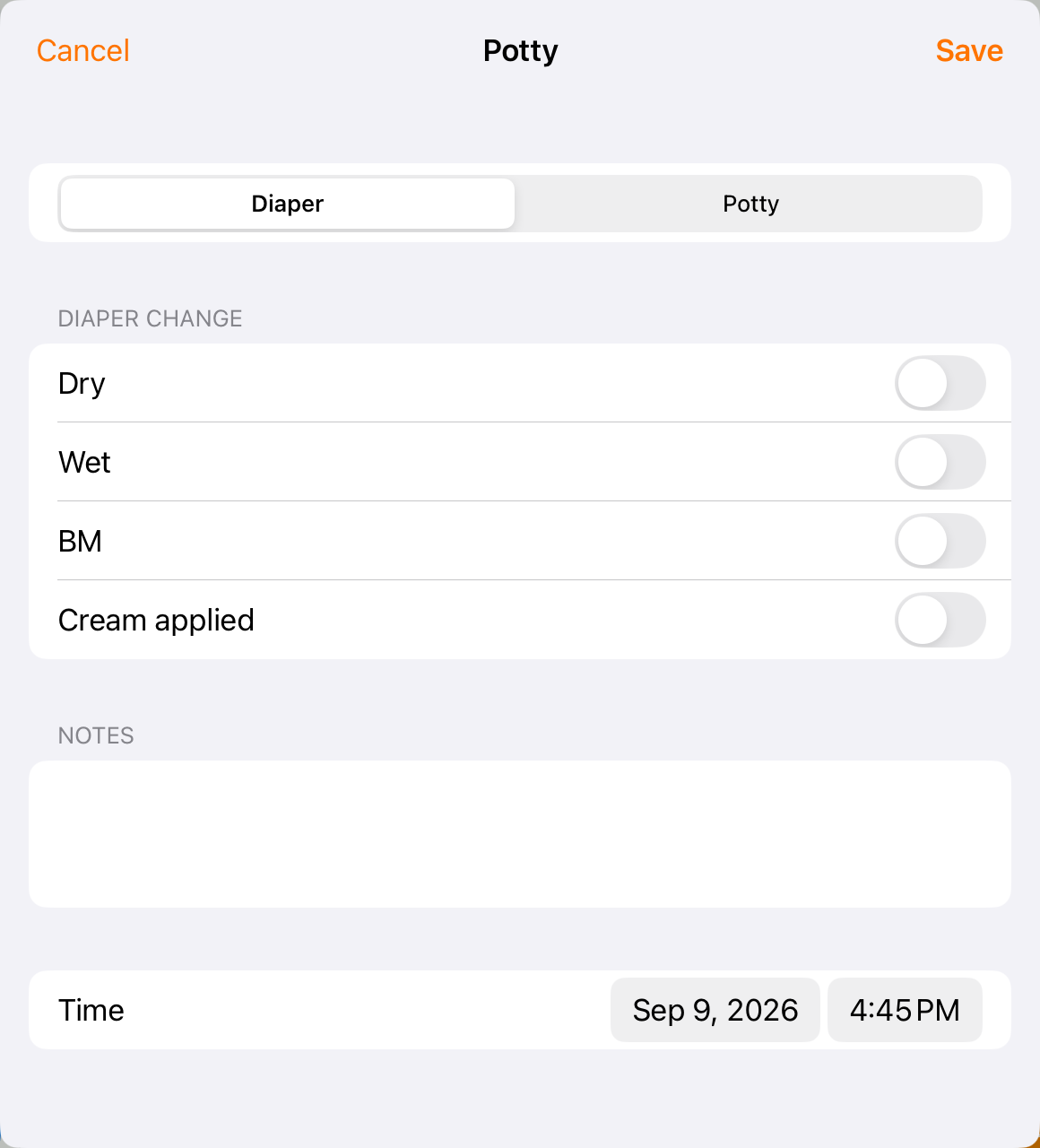
The Diaper form records the result of the change and whether cream was applied.
3. Record a potty visit
In Potty mode, select the relevant options: Pee, BM, Tried and/or Accident. Record what actually happened, add any useful context, check the time and tap Save.
4. Record an applied product
For a product entry, return to Today and tap Applied. Choose a quick pick or type the exact product. Add the application area and notes if relevant. Check the time and tap Save.
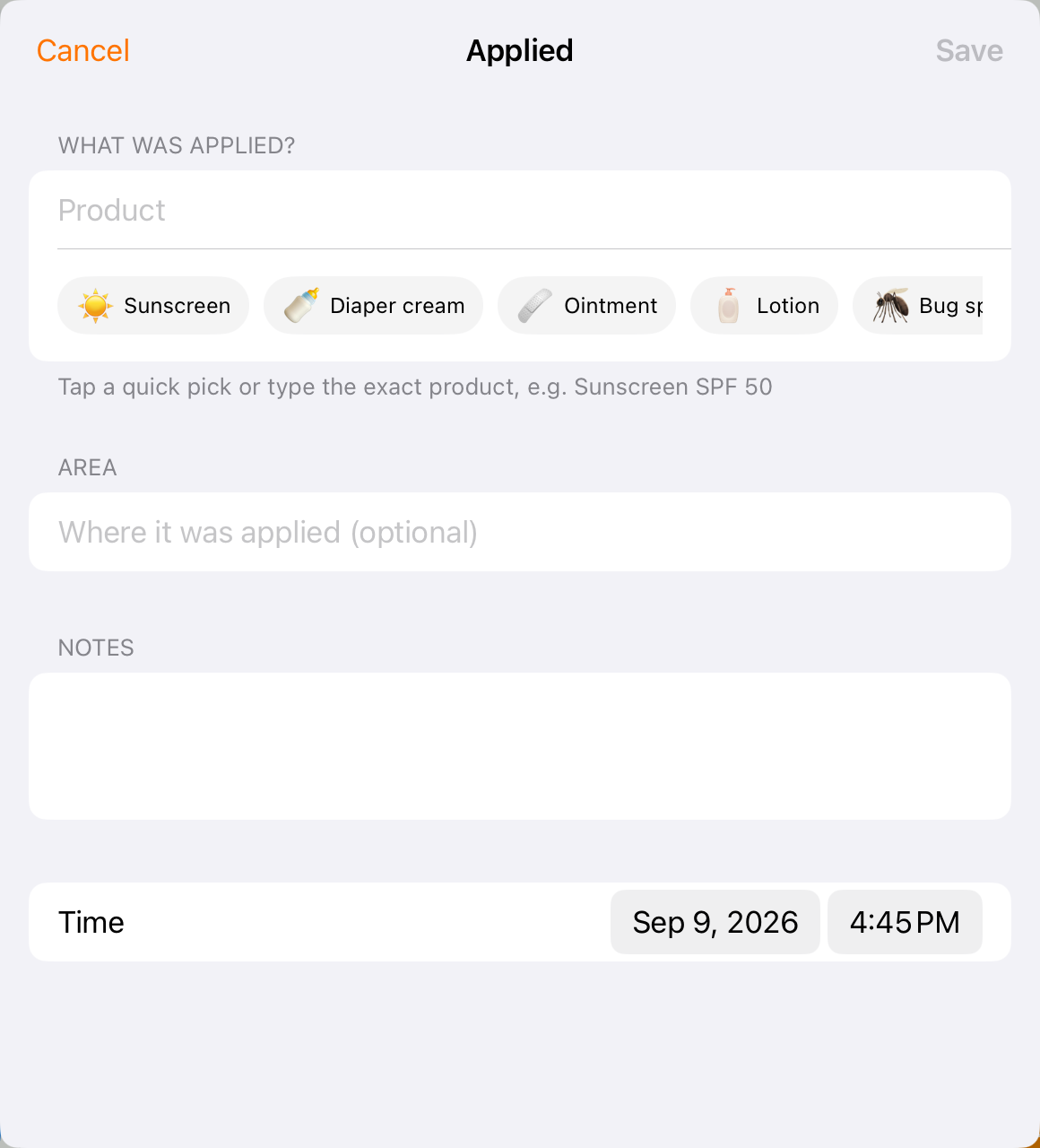
Use an exact product name when the quick pick alone is not enough detail.
5. Review the child’s record
Open the child’s Activity report or find the entry in History. Confirm that the type, result, product and time are correct.
Before you finish
Only share a bulk entry when its details apply to every selected child.
An Applied entry records the product application; follow your center’s separate medication and authorization procedures where relevant.
Correct the original entry through History rather than adding a second entry solely to undo a mistake.
Related guides
Screenshots show an example center. Delivery, permissions and learning frameworks depend on your organization.
Was this helpful?