Understanding What Happens During an Attendance Import
Attendance import copies recorded punches into filed timesheet entries and recalculates hours using the organization’s rules.
Last updated About 3 hours ago
Attendance import copies recorded punches into filed timesheet entries and recalculates hours using the organization’s rules.
1. Understand the source
The import reads recorded attendance for the selected pay period. It does not require the source punches to be an approved timesheet.
2. Check incomplete punches
A missing clock-in or clock-out is flagged for review rather than filled with an invented time.
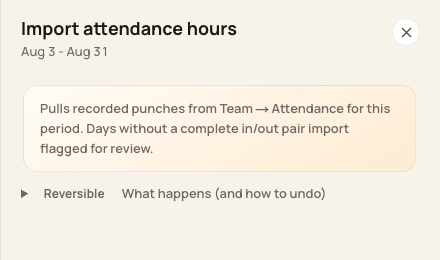
The import review explains how incomplete punches are handled.
3. Review deductions and totals
Check applicable automatic breaks, rounding and the resulting regular/overtime split. Imported hours are not guaranteed to equal the raw elapsed clock duration.
4. Understand repeat imports
Already-linked attendance source records are skipped. A correction made later to source attendance does not automatically refresh the filed timesheet.
Before you finish
A separately created manual or schedule-derived entry requires a separate duplicate-coverage check.
Import does not submit anything to a payroll provider.
Related guides
Screenshots show an example center. Pay periods, approval, rounding, breaks and overtime settings depend on your organization’s configuration.
Was this helpful?