Preventing Duplicate Time Entries During Imports
Repeated-source protection and duplicate hours are different issues. Always review the person and work date after combining sources.
Last updated About 3 hours ago
Repeated-source protection and duplicate hours are different issues. Always review the person and work date after combining sources.
1. Check for existing coverage
Choose All timesheets and inspect the staff/date before importing or adding hours.
2. Understand attendance protection
The importer skips attendance source records already linked in the selected period. Reimporting does not overwrite or refresh those entries.
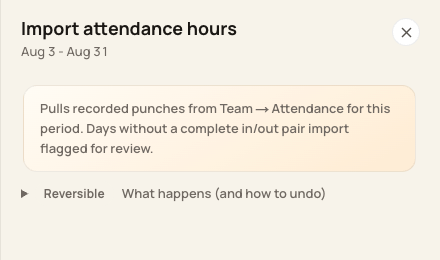
Import is for missing source-linked records, not a blanket replacement.
3. Understand schedule protection
Schedule fill skips a staff/day with an existing timesheet, including an entry filed in another period for that date. It reports the skipped day rather than overwriting.
4. Review mixed-source duplicates
Manual, schedule-derived and attendance-linked entries can require review together. Compare intervals and totals; do not assume a repeated import cleans them up.
Before you finish
The current Time entries interface has no verified Delete entry action. Contact Support for a duplicate that cannot be resolved through an eligible correction.
Related guides
Screenshots show an example center. Pay periods, approval, rounding, breaks and overtime settings depend on your organization’s configuration.
Was this helpful?