Approving Multiple Timesheets at Once
Approve a reviewed set of entries together, with an explicit scope check.
Last updated About 3 hours ago
Approve a reviewed set of entries together, with an explicit scope check.
1. Review every included record
Confirm the selected pay period and inspect the intended staff/date rows before selecting them.
2. Select the intended rows
Check the desired entries. Use Manage N selected → Approve selected.
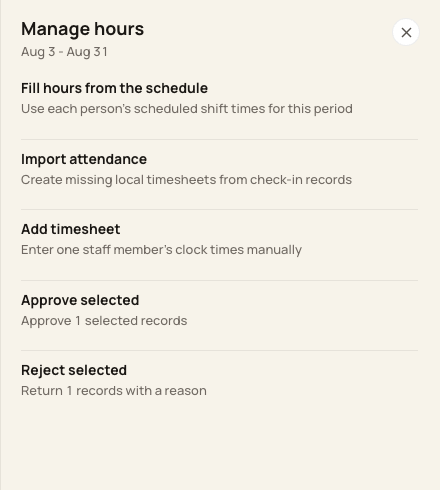
Selection-based approval applies to checked entries.
3. Check the confirmation count
Read the period and count before choosing Approve timesheets. The header Approve N timesheet action is a different scope: all eligible pending-status entries in that period.
4. Verify the update
Read the updated count and inspect All timesheets or Approved. Reconcile any entries left unchanged.
Before you finish
Do not approve a filtered page simply because all visible rows look similar.
Bulk review actions are restricted for locked or completed periods.
Related guides
Screenshots show an example center. Pay periods, approval, rounding, breaks and overtime settings depend on your organization’s configuration.
Was this helpful?