Reviewing Scheduled Hours Against Actual Hours
Compare the plan with recorded work and the filed timesheet as three separate checks.
Last updated About 3 hours ago
Compare the plan with recorded work and the filed timesheet as three separate checks.
1. Review the published shift
In Team → Schedule, find the staff member and date. Note the shift, paid/unpaid blocks and approved attendance exceptions.
2. Review actual punches
Use Team → Attendance for the same date and review all relevant intervals.
3. Compare filed hours
In the selected Timesheets period, inspect the entry and its break deduction.
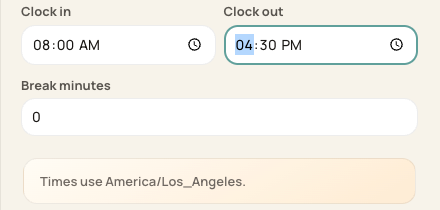
Review the clock times and break separately; the screenshot uses example times.
4. Resolve the difference
Document the verified actual work through your review process and correct an eligible entry. Recheck regular/overtime totals afterward.
Before you finish
A planned shift is not proof of actual attendance.
Schedule fill does not automatically replace an existing entry after a schedule change.
Related guides
Screenshots show an example center. Pay periods, approval, rounding, breaks and overtime settings depend on your organization’s configuration.
Was this helpful?