Conference teacher hours: add, change and hold back times
For center admins: add each teacher's conference hours, pick which room's families see them, hold back a time, and fix common problems.
Last updated About 3 hours ago
Each teacher's hours on a conference become the times families pick from. You set them on the conference's Availability tab in Admin OS. This article covers that tab in detail. For the whole setup, see Parent-teacher conferences: set up, publish and manage bookings.
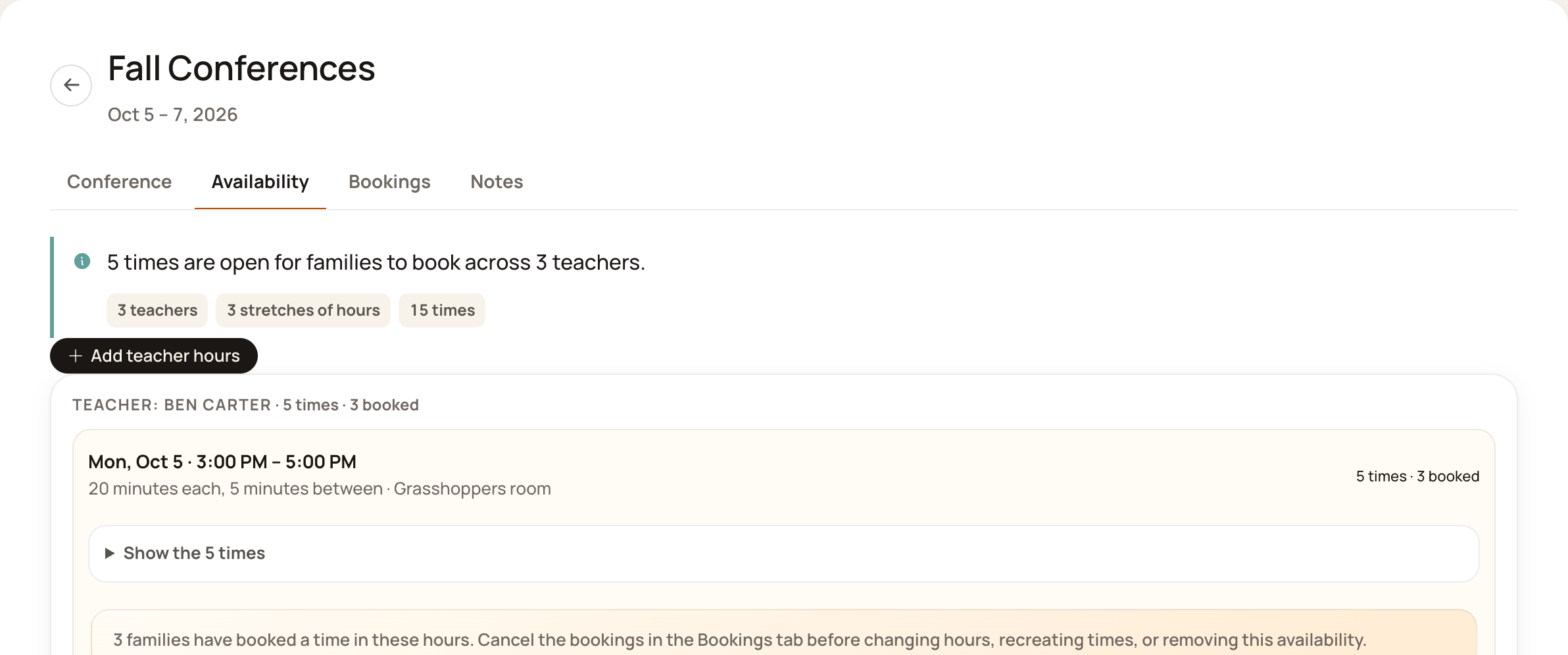
Add hours for a teacher
Open the conference and choose Availability.
Press Add teacher hours.
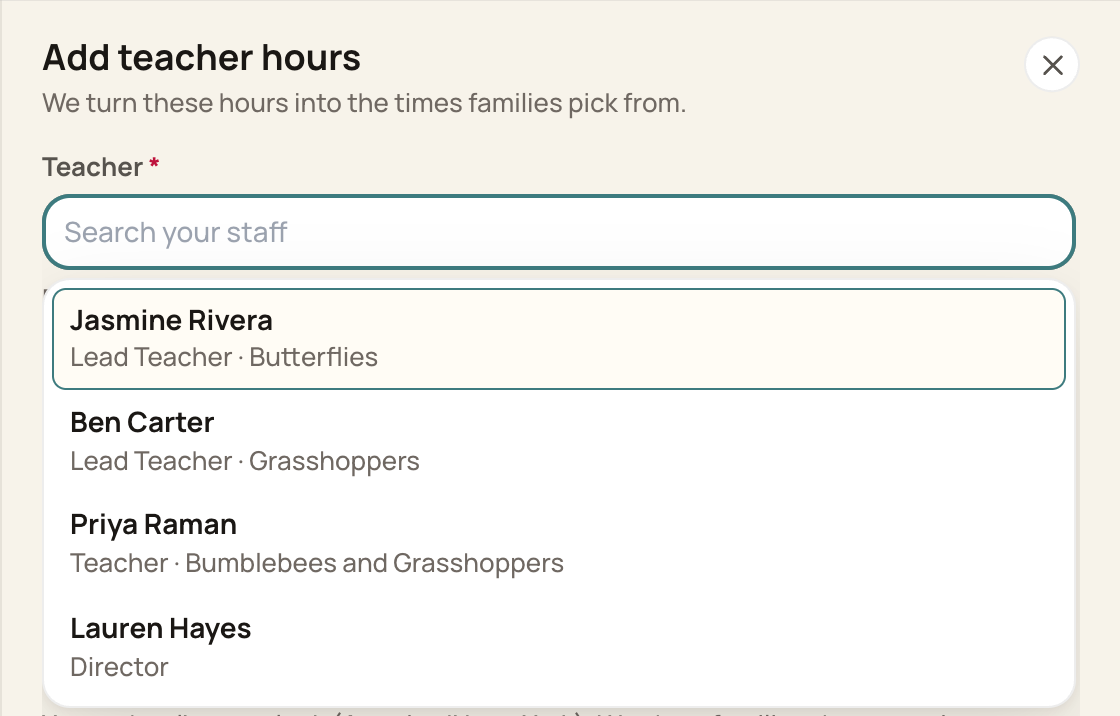
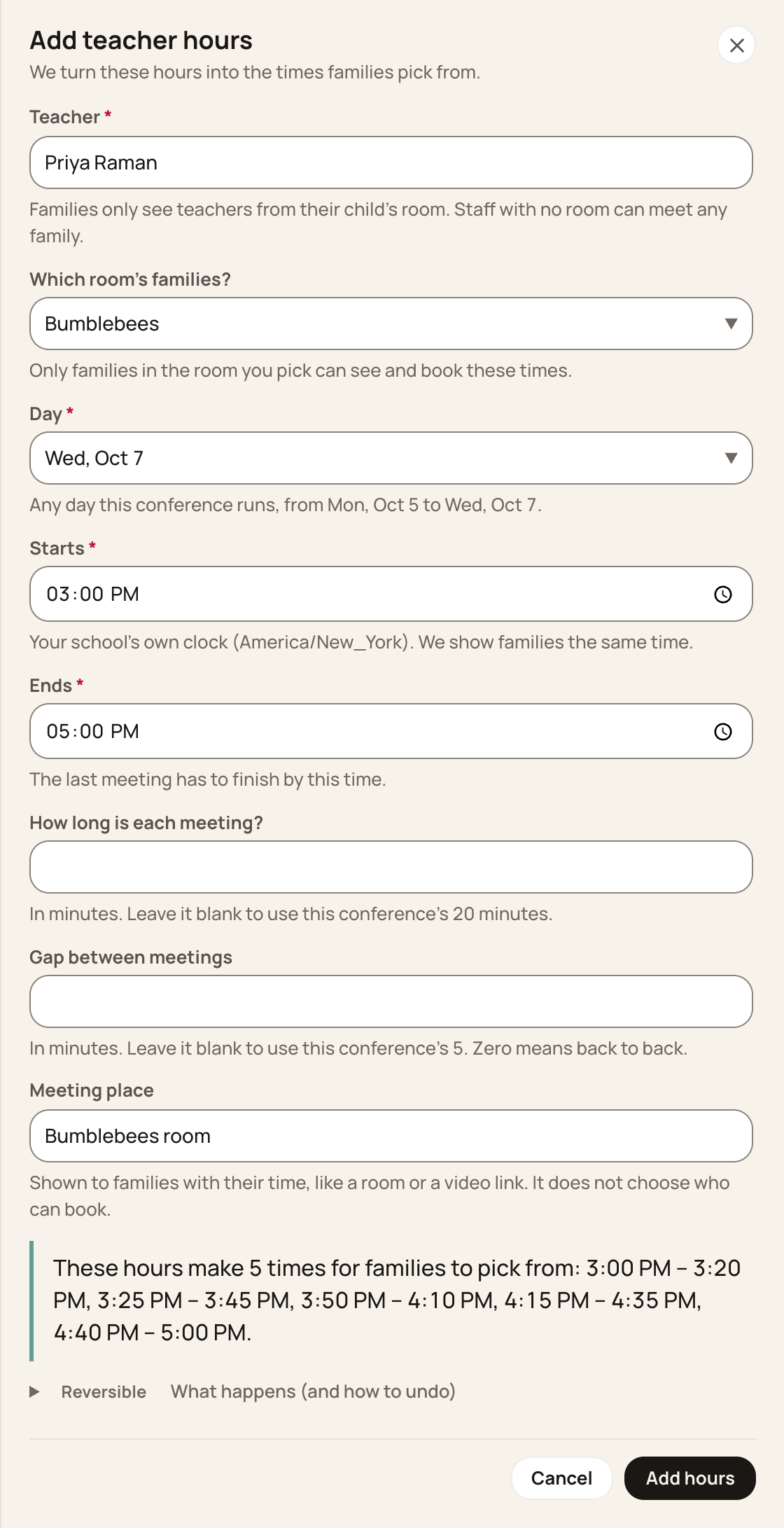
Pick the Teacher. Each person's role and rooms show under their name. Families only see teachers from their child's room. Staff with no room can meet any family.
If the teacher works in two or more of the conference's rooms, Which room's families? appears. Pick one room to offer these hours only to that room's families, or leave Every room this teacher works in.
Pick the Day. Only days this conference runs are offered.
Set Starts and Ends. The form starts at 8:00 AM and 5:00 PM, so change them if your hours are different. The last meeting has to finish by the end time.
Leave How long is each meeting? and Gap between meetings blank to use the conference's own. A gap of 0 means meetings run back to back.
Type a Meeting place, like a room or a video link. Families see it with their time. It does not choose who can book.
Check the preview of the times these hours make, then press Add hours.
More than one day? Add hours once for each teacher on each day. One set of hours belongs to one teacher on one day.
Times use your school's own clock. Families see the same times.
Read what you've added
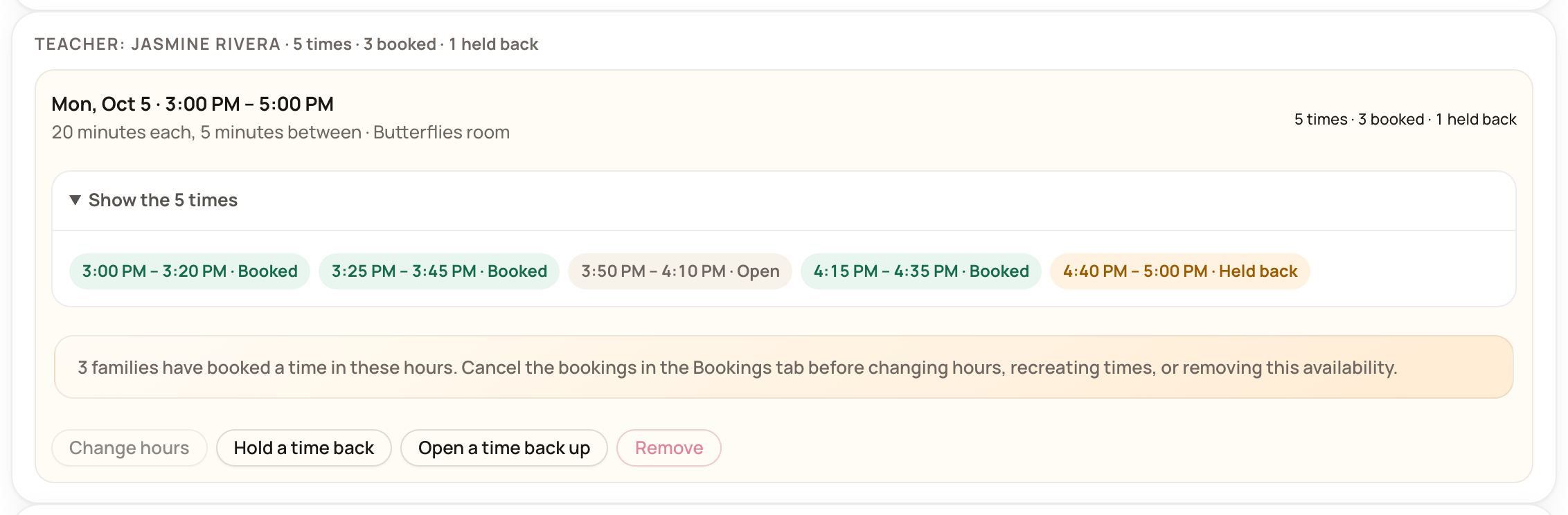
Each teacher has a box headed Teacher: and their name, with the number of times. Each set of hours shows its day, its hours, and For: and a room when you picked one.
Press Show the times to see every time a set of hours made, and whether each one is open, booked or held back.
If a box says families can't see these times, that teacher doesn't meet any room on this conference. Add the hours for a teacher from one of the conference's rooms instead, or put the teacher in the right room under Team.
Hold a time back
Use Hold a time back to take one time out of the family app, for a lunch break or a gap a teacher needs.
On the set of hours, press Hold a time back.
Under Which time?, pick the time.
Press Hold a time back.
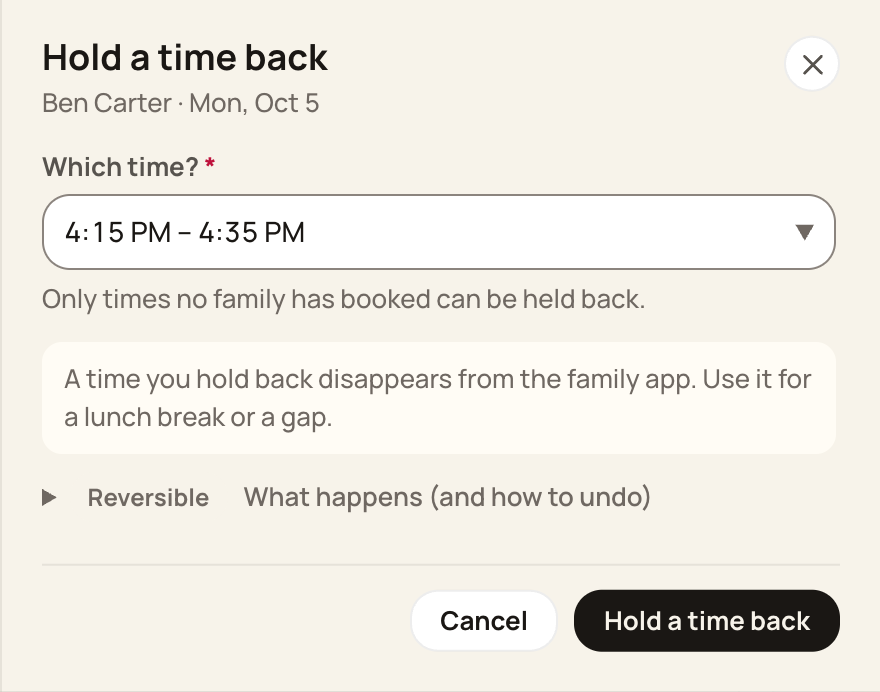
To return it, press Open a time back up and pick the time. You can't hold back a time a family has already booked.
Change or remove hours
Change hours lets you change the day, the hours, the meeting length, the gap, the room and the meeting place. You can't change the teacher. Press Save hours when you're done.
Remove takes the hours and all their times off the conference. Press Remove hours to confirm.
Both work only while nobody has booked a time in those hours. To change booked hours, cancel the booking on the Bookings tab first, then come back.
To give hours to a different teacher, remove them and add them again for the right person.
Make the times again
Make the times again shows on a set of hours only when its times no longer match its hours. That happens after you change the meeting length on the conference. It replaces the old times with a new set, and any times you held back open up again. It never adds a second set.
Common problems
There are more times than I expected. Add teacher hours always adds a new set. It never replaces hours that are already there. If you added hours for a new teacher without removing the old ones, you now have both. Remove the set you don't want.
The times start too early. The form starts at 8:00 AM. Press Change hours on that set and fix Starts.
Bloomily won't save my hours. One teacher can't have two sets of hours that share a time on the same conference. Pick hours that don't overlap the teacher's other set.
Families in one room see no times. Check that the room is on the conference, and that the teachers with hours work in that room.
Nothing on the Availability tab emails or texts a family.
Still need help?
In Bloomily: open More > Help & requests to send a request to Bloomily.
Email: support@bloomily.app
Was this helpful?